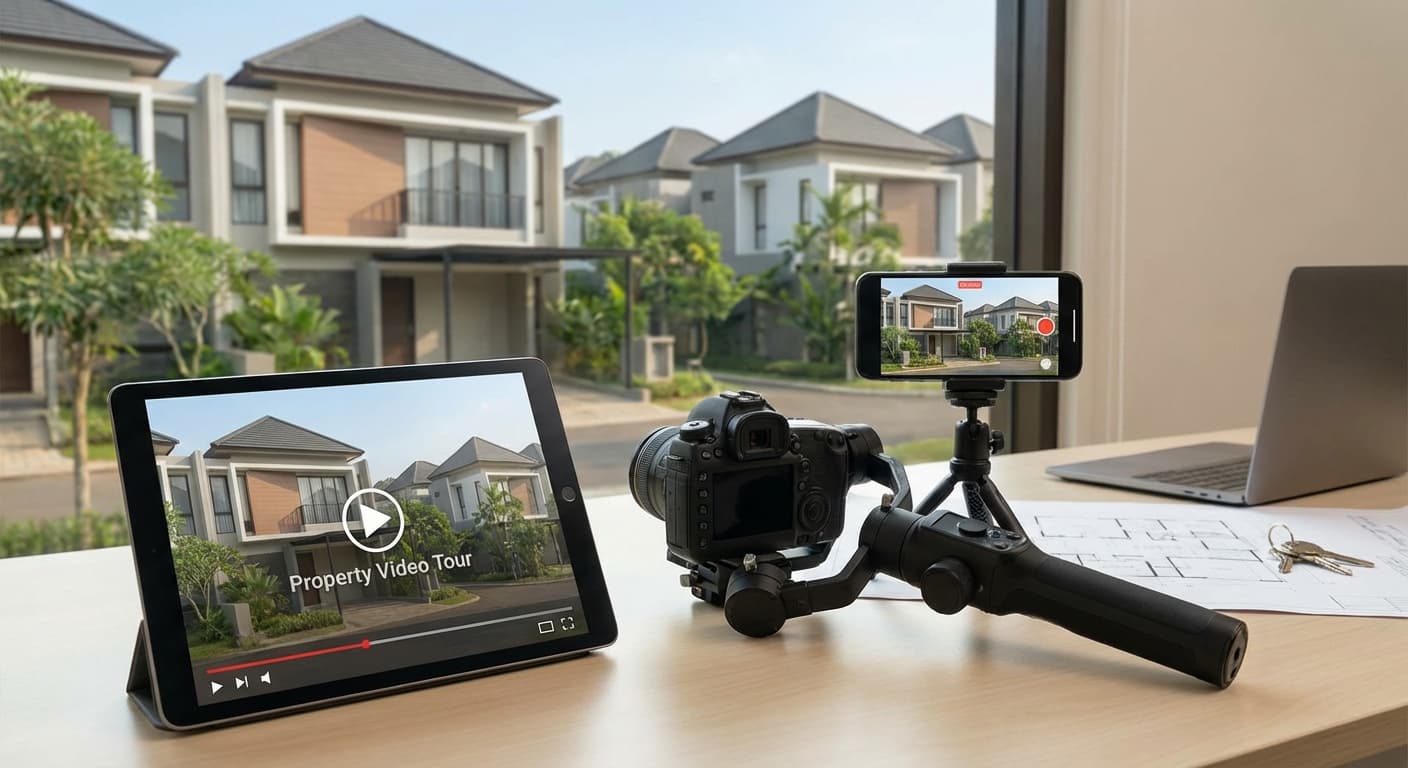
Video tour properti bukan lagi optional—it's essential! Data menunjukkan listing dengan video mendapat 403% more inquiries dibanding listing tanpa video. Buyers want to "walk through" properti sebelum commit untuk viewing fisik, dan video tour adalah cara terbaik untuk deliver that experience.
Tapi banyak agent yang intimidated dengan video production. Good news? Dengan smartphone modern dan teknik yang tepat, Anda bisa create professional-looking video tours tanpa expensive equipment atau editing skills. Di artikel ini, Anda akan belajar step-by-step cara membuat video tour yang engaging dan effective!
Key Takeaways
Video tours increase inquiries Smartphone + gimbal Smooth movement 2-3 minutes Narration Plan your route- hingga 400% dibanding listing tanpa video
- (total Rp 500k-2 juta) sudah cukup untuk professional results
- adalah kunci—jerky footage ruins everything
- adalah durasi ideal untuk full property tour
- (voice-over atau on-camera) meningkatkan engagement 60%
- sebelum shooting untuk efficient, logical flow
- : Comprehensive tour (2-5 min)
- : Best features only (30-60 sec)
- : Kitchen, master bedroom, etc
- : Showing property in use
- : Need education, context
- : Want ROI info, rental potential
- : Expect cinematic quality
- : Need neighborhood context
- What makes this property special?
- Which features to emphasize?
- What story to tell?
- Unique selling propositions?
- Walk through entire property
- Note best angles & features
- Identify lighting challenges
- Plan your route
- ✅ Exterior establishing shot
- ✅ Front entrance
- ✅ Living room
- ✅ Kitchen
- ✅ Master bedroom
- ✅ Master bathroom
- ✅ Outdoor spaces (if applicable)
- ✅ Closing shot (exterior atau best feature)
- Additional bedrooms
- Additional bathrooms
- Garage
- Basement/attic
- Special features (pool, home theater, etc)
- Neighborhood context
- Follow natural flow (how someone would walk through)
- Start outside → enter → main living areas → bedrooms → outdoor spaces
- Or: Save best for last (build anticipation)
- Modern smartphone (iPhone 11+, Android flagship)
- Clean lens!
- Enough storage (video files are large)
- Fully charged battery
- : Smooth, professional-looking footage
- : DJI Osmo Mobile, Zhiyun Smooth
- : Handheld (very steady hands) atau tripod for static shots
- : Better audio quality untuk narration
- : Lavalier (clip-on) atau shotgun mic
- : Smartphone mic OK untuk quiet environments
- LED panel lights
- Ring light untuk on-camera narration
- : Natural light + open curtains
- For static shots
- For on-camera narration
- Stability
- Smartphone attachment
- Makes rooms look more spacious
- Choose quality lens (cheap = distortion)
- Better quality than smartphone
- More control over settings
- Requires more skill
- Aerial shots
- Luxury properties
- Neighborhood context
- : Good balance quality vs file size
- : Better quality, larger files, requires more storage
- : 1080p untuk most properties, 4K untuk luxury
- : Standard, natural look
- : Smoother, better untuk slow motion
- : 30 fps untuk most tours
- Lock exposure (tap & hold pada smartphone)
- Slightly underexpose (easier to brighten than darken)
- Avoid auto-exposure (causes flickering)
- Lock focus (tap & hold)
- Or: Use continuous autofocus (if smooth)
- Avoid hunting focus (in-out-in)
- Lock white balance untuk consistent color
- Or: Auto WB (if lighting consistent throughout)
- : For YouTube, website
- : For Instagram Stories, TikTok
- : Shoot horizontal untuk versatility
- Smooth, steady forward movement
- Walking speed: SLOW (slower than normal)
- Lead with camera (not your body)
- Use gimbal untuk stability
- Horizontal sweep across room
- Start & end with static pause (2-3 seconds)
- Slow, smooth movement
- Use tripod atau gimbal
- Vertical movement (up atau down)
- Show ceiling height, architectural details
- Slow & smooth
- Less common than pan
- Start on detail → pull back to reveal room
- Or: Enter room → reveal feature
- Creates interest & anticipation
- Great untuk wow moments
- No movement, just hold steady
- Good untuk establishing shots
- Use tripod
- 5-10 seconds per shot
- ❌ Jerky, shaky footage
- ❌ Too fast movement (dizzying)
- ❌ Unnecessary zooming
- ❌ Spinning atau whip pans
- ✅ Clean & declutter (same as photo prep)
- ✅ Open all curtains untuk natural light
- ✅ Turn on ALL lights
- ✅ Stage rooms (minimal, tasteful)
- ✅ Remove personal items
- ✅ Hide cords, clutter
- ✅ Charge all devices
- ✅ Clear storage space
- ✅ Test equipment
- ✅ Plan route & shots
- ✅ Prepare narration (if scripted)
- Wide shot of property from street
- 10-15 seconds
- Shows context & curb appeal
- Sets the stage
- Approach front door
- Or: Start from inside, looking out
- Transition into interior
- Living room, dining room, kitchen
- Follow natural flow
- Highlight key features
- Smooth transitions between rooms
- Master suite first (most important)
- Then additional bedrooms
- Show closets (if spacious)
- Bathrooms (clean & staged!)
- Home office, gym, theater
- Basement, attic (if finished)
- Garage (if impressive)
- Highlight unique selling points
- Backyard, patio, deck
- Pool, outdoor kitchen
- Views
- Neighborhood context
- Return to exterior
- Or: End on best feature
- Leave lasting impression
- Walk through doorways (camera first)
- Pan from one room to next
- Use hallways as connectors
- Maintain continuous movement
- ❌ Abrupt cuts (jarring)
- ❌ Showing yourself in mirrors
- ❌ Bumping into furniture
- ❌ Stopping in doorways
- Windows (bright) + interior lights (darker)
- : Expose for interior, let windows blow out slightly
- Or: Shoot during overcast day (even light)
- Turn on ALL lights
- Open curtains
- Bring additional lighting
- Increase ISO (but watch for noise)
- Close curtains slightly (if too bright)
- Expose for highlights
- Use ND filter (advanced)
- Record audio after filming
- More polished, can edit
- No background noise
- Can script perfectly
- ✅ Professional sound quality
- ✅ Can re-record if mistake
- ✅ Easier to edit
- ❌ Requires editing skills
- ❌ Less authentic feel
- Talk while filming
- More authentic, personal
- Requires good mic
- One-take pressure
- ✅ Authentic, personal feel
- ✅ Less editing needed
- ✅ Faster production
- ❌ Background noise
- ❌ Harder to get perfect
- ❌ Can't easily fix mistakes
- You appear in video
- Walking tour style
- Most personal
- Builds connection
- ✅ Most engaging
- ✅ Builds trust & rapport
- ✅ Personal brand building
- ❌ Requires confidence
- ❌ Need to look presentable
- ❌ More challenging to shoot
- Just visuals + music
- Clean, simple
- Viewer focuses on property
- ✅ Easiest to produce
- ✅ Universal (no language barrier)
- ✅ Clean aesthetic
- ❌ Less engaging
- ❌ Misses opportunity to educate
- ❌ Less personal
- "Welcome to [address/property name]"
- "This beautiful [property type] features..."
- "Let me show you around this stunning home"
- : "Here's the spacious living room with vaulted ceilings"
- : "Notice the custom built-ins and hardwood floors"
- : "This kitchen was recently renovated with quartz countertops"
- : "The open floor plan is perfect for entertaining"
- Square footage
- Number of bedrooms/bathrooms
- Recent upgrades/renovations
- Unique features
- Neighborhood highlights
- "Thank you for touring this beautiful home"
- "For more information or to schedule a showing, contact me at..."
- Call-to-action
- Speak clearly & enthusiastically (but not over-the-top)
- Vary your tone (not monotone)
- Pause for emphasis
- Smile (it comes through in your voice!)
- YouTube Audio Library (free)
- Epidemic Sound (subscription)
- Artlist (subscription)
- Bensound (free & paid)
- : For family homes
- : For luxury properties
- : For retreats, vacation homes
- : For contemporary properties
- Background music should be BACKGROUND
- Narration should be clear & audible
- Music at 20-30% volume (narration at 100%)
- Transfer from phone to computer
- Organize clips by room/sequence
- Review all footage
- Arrange clips in order
- Trim beginning/end of each clip
- Remove mistakes, shaky parts
- Create logical flow
- Simple cuts (most common)
- Crossfade between scenes (smooth)
- Avoid fancy transitions (distracting)
- Adjust exposure (consistent throughout)
- Correct white balance
- Enhance colors (subtle!)
- Match clips (consistent look)
- Narration (voice-over)
- Background music
- Adjust levels
- Remove background noise
- Property address
- Key features
- Contact information
- Call-to-action
- Resolution: 1080p atau 4K
- Format: MP4 (most compatible)
- Quality: High (but not too large file size)
- (iOS, free): Simple, user-friendly
- (iOS/Android, free): Good for beginners
- (iOS/Android, free): Trending, easy to use
- (iOS, paid): Professional-grade
- (Mac, free): Great for beginners
- (free): Professional features
- (subscription): Industry standard
- (Mac, paid): Professional
- ✅ Keep it simple (don't over-edit)
- ✅ Maintain consistent pacing
- ✅ Use smooth transitions
- ✅ Color correct untuk consistency
- ✅ Add subtle music
- ❌ Overuse effects/transitions
- ❌ Over-saturate colors
- ❌ Make it too long (trim ruthlessly!)
- ❌ Use distracting music
- ❌ Forget call-to-action
- Resolution: 1080p atau 4K
- Orientation: Horizontal (16:9)
- Length: 2-5 minutes (full tour)
- Compelling thumbnail (custom image)
- SEO title: "[Address] - [Property Type] - [Key Features]"
- Description: Full property details + contact info
- Tags: Location, property type, features
- End screen: Call-to-action, other videos
- Resolution: 1080p
- Orientation: Square (1:1) atau horizontal (16:9)
- Length: Up to 60 seconds
- First 3 seconds CRUCIAL (hook!)
- Captions (many watch without sound)
- Hashtags (location, property type)
- Call-to-action in caption
- Resolution: 1080p
- Orientation: Vertical (9:16)
- Length: 15-60 seconds
- Fast-paced (quick cuts)
- Trending audio
- Text overlays
- Hook in first 1 second
- Resolution: 1080p
- Orientation: Horizontal atau square
- Length: 1-3 minutes
- Auto-play friendly (engaging first frame)
- Captions (auto-play is muted)
- Native upload (not YouTube link)
- Boost post untuk reach
- Resolution: 1080p
- Orientation: Horizontal
- Length: 2-5 minutes
- Format: MP4
- Embed YouTube video (saves bandwidth)
- Or: Upload directly (faster loading)
- Thumbnail: Best shot of property
- Placement: Above the fold
- ✅ Invest in gimbal (Rp 500k-2 juta)
- ✅ Download editing app (CapCut, iMovie)
- ✅ Practice smooth movements
- ✅ Create first video tour
- ✅ Develop consistent video style
- ✅ Build video tour workflow
- ✅ Experiment dengan narration styles
- ✅ Track results (views, inquiries)
- ✅ Study successful property videos
- ✅ Improve filming & editing skills
- ✅ Optimize for different platforms
- ✅ Continuously improve
- : Invest in gimbal
- : Shot list + route
- : 2-3 minutes ideal
- : Clear narration atau good music
- : Your 10th video will be way better than your 1st
Planning Your Video Tour
Pre-Production Checklist
1. Define Your Goal
Full walkthrough Highlight reel Specific room focus Lifestyle video2. Know Your Audience
First-time buyers Investors Luxury buyers Relocators3. Identify Key Selling Points
4. Scout the Property
Creating a Shot List
Essential Shots:
Optional Shots:
Shot Order:
Equipment You Need
Essential (Budget: Rp 500k-1 juta)
1. Smartphone
2. Gimbal/Stabilizer (Rp 500k-2 juta)
Why Recommended Alternative3. External Microphone (Optional, Rp 200-500k)
Why Types AlternativeNice to Have (Budget: Rp 1-3 juta)
4. Lighting (Rp 300k-1 juta)
Alternative5. Tripod (Rp 100-300k)
6. Wide-Angle Lens (Rp 100-500k)
Advanced (Budget: Rp 5-20 juta)
7. Mirrorless/DSLR Camera
8. Drone
💡 Recommendation: Start dengan smartphone + gimbal. Upgrade later jika needed!
Camera Settings & Techniques
Smartphone Settings
Video Resolution:
1080p (Full HD) 4K RecommendationFrame Rate:
30 fps 60 fps RecommendationExposure:
Focus:
White Balance:
Orientation:
Horizontal (landscape) Vertical (portrait) RecommendationMovement Techniques
The Walk-Through:
The Pan:
The Tilt:
The Reveal:
Static Shots:
What to Avoid:
💡 Pro Tip: Practice your movements WITHOUT recording first. Smooth, slow, steady is the mantra!
Shooting the Tour
Preparation
Property Prep:
Your Prep:
Shooting Workflow
1. Exterior Establishing Shot
2. Front Entrance
3. Main Living Areas
4. Bedrooms & Bathrooms
5. Special Features
6. Outdoor Spaces
7. Closing Shot
Transitions Between Rooms
Smooth Transitions:
What to Avoid:
Lighting Challenges
Mixed Lighting:
SolutionDark Rooms:
Bright Rooms:
💡 Baca Juga: Pencahayaan untuk Foto Properti: Tips Tanpa Peralatan Mahal
Narration & Audio
Types of Narration
1. Voice-Over (Post-Production)
Pros:
Cons:
2. Live Narration (During Filming)
Pros:
Cons:
3. On-Camera Narration
Pros:
Cons:
4. No Narration (Music Only)
Pros:
Cons:
Recommendation: Start dengan voice-over (easiest) → progress to on-camera (most engaging)
What to Say
Introduction (10-15 seconds):
During Tour:
Describe what viewer sees Highlight features Provide context Share benefitsKey Information:
Closing (10-15 seconds):
Tips:
Music Selection
Where to Find Royalty-Free Music:
What Type of Music:
Upbeat & positive Elegant & sophisticated Calm & peaceful Modern & trendyVolume:
Editing Your Video Tour
Basic Editing Workflow
1. Import Footage
2. Assemble Rough Cut
3. Add Transitions
4. Color Correction
5. Add Audio
6. Add Text/Graphics
7. Export
Editing Apps & Software
Mobile (Smartphone):
iMovie InShot CapCut LumaFusionDesktop:
iMovie DaVinci Resolve Adobe Premiere Pro Final Cut ProRecommendation: Start dengan free apps (iMovie, CapCut) → upgrade jika needed
Editing Tips
Do:
Don't:
Optimizing for Different Platforms
YouTube
Specs:
Optimization:
Instagram Feed
Specs:
Optimization:
Instagram Reels / TikTok
Specs:
Optimization:
💡 Baca Juga: Video Reels Properti: Format dan Durasi Ideal
Specs:
Optimization:
Website/Listing Platforms
Specs:
Optimization:
Common Mistakes to Avoid
Mistake #1: Shaky Footage
Problem: Unwatchable, unprofessional
Solution: Use gimbal, tripod, atau very steady hands
Mistake #2: Too Long
Problem: Viewers lose interest
Solution: 2-3 minutes untuk full tour, trim ruthlessly
Mistake #3: Poor Audio
Problem: Background noise, echo, unclear narration
Solution: Use external mic, record in quiet environment
Mistake #4: Bad Lighting
Problem: Dark, inconsistent, unflattering
Solution: Shoot during day, turn on all lights, add lighting if needed
Mistake #5: No Plan
Problem: Rambling, disorganized, missing key features
Solution: Create shot list, plan route, practice first
Mistake #6: Boring Narration
Problem: Monotone, robotic, no enthusiasm
Solution: Speak naturally, vary tone, show excitement
Mistake #7: Over-Editing
Problem: Distracting effects, transitions, music
Solution: Keep it simple, let property shine
Kesimpulan
Video tours adalah powerful tool untuk showcase properti dan generate qualified leads. Dengan smartphone, gimbal, dan teknik yang tepat, Anda bisa create professional-quality video tours yang engage viewers dan drive inquiries.
Action Plan:
This Week:
This Month:
Ongoing:
Remember:
Smooth movement is non-negotiable Plan before you shoot Keep it concise Audio matters Practice makes perfectStart creating video tours today, dan watch your engagement soar! 🎥
Baca Juga:
Video Reels Properti: Format dan Durasi Ideal 10 Tips Foto Interior Properti yang Menarik Editing Foto Properti: Apps dan Tools Terbaik untuk Agent